Setting Up the IndexNow Protocol on WordPress

The image was generated by a neural network ideogram
IndexNow is an innovative protocol designed to enable search engines to quickly discover new or modified pages on a website. When implemented correctly, it becomes a powerful tool for webmasters, aimed at speeding up and improving site indexing, which positively impacts the website’s visibility in search engine results.
Why Use IndexNow?
In today’s world, the internet is filled with websites competing for users’ attention, and content is updated at an incredible speed. The ability to quickly index content has become a crucial factor for success. Being able to rapidly communicate updates to search engines plays a critical role in a site’s promotion and overall SEO strategy.
IndexNow addresses this need by providing webmasters with a tool to instantly notify search engines about any changes on their site. This allows websites to deliver valuable content to their audience promptly, improve their rankings in search results, and expand their reach to the target audience.
Benefits of Using IndexNow
- Accelerated Content Indexing. The main advantage of IndexNow is its ability to instantly notify search engines about updates on the site. Unlike the traditional approach, where it may take search engine bots days or even weeks to detect changes, this protocol allows information about new or modified pages to be sent immediately. This is especially important in a highly competitive environment where the speed of getting content indexed can significantly impact a site’s ranking.
- Improved Visibility and Higher Search Rankings. In an age of information overload, the relevance and timeliness of content are critical to success. Search engines value sites that regularly update information and deliver it quickly to users. IndexNow enables websites to promptly inform search engines about changes, giving them a competitive edge, allowing them to rank higher and attract more traffic.
- Server Resource Optimization. For large websites, such as e-commerce platforms with numerous products or news portals with extensive text content, saving server resources is a significant advantage. Traditional crawling methods require substantial computational power. IndexNow reduces server load as search bots visit the site less frequently for updates. This improves the site’s stability, speeds up its loading time, and allows server resources to be used for serving real users rather than bots.
IndexNow is a powerful tool for webmasters that helps them adapt to modern requirements and efficiently manage website indexing, improving visibility and rankings in search engines.
IndexNow Plugin
IndexNow is a lightweight SEO plugin for WordPress that enables quick notifications to search engines about the creation, update, or deletion of content on your website. After installation, it detects the creation, update, or deletion of pages or terms in WordPress and automatically sends URLs in the background using IndexNow, Google API, Bing API, and Yandex API protocols. This ensures that search engines are always up-to-date with the latest updates on your site.
Connecting to Google
To fully utilize Google’s search engine API, you need to create your own application in the Google API Console and obtain a personal access key to communicate with the search engine.
Click the link, select “Create New Project,” enter its name, and click the “Create” button. You can use my name as an example.
After creating the project, proceed to edit it.
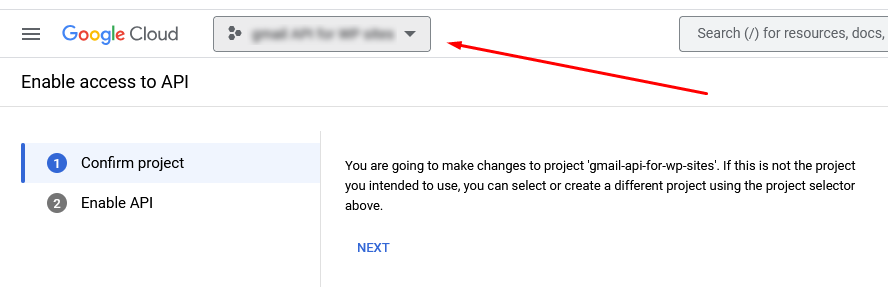
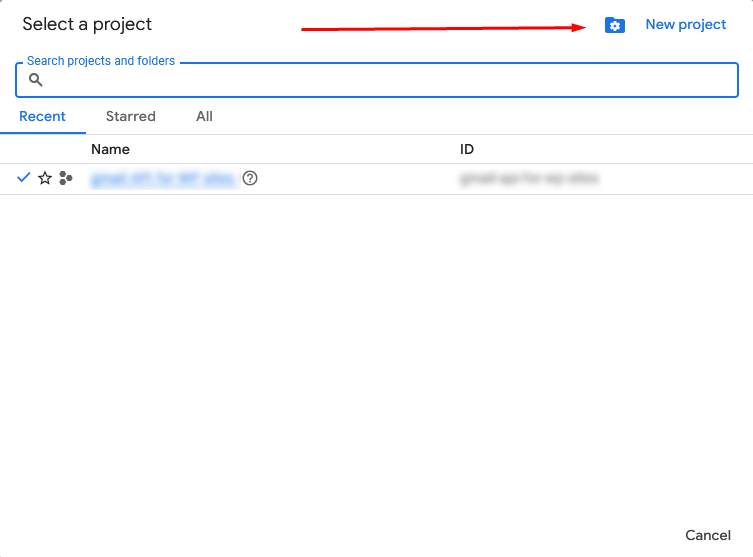
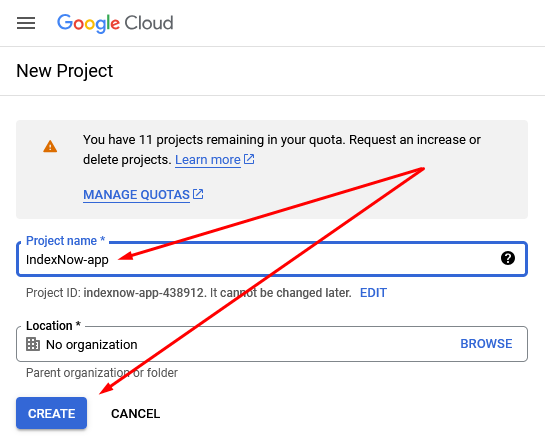
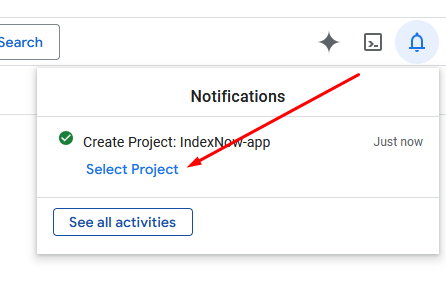
Click the “Next” button and enable the API.
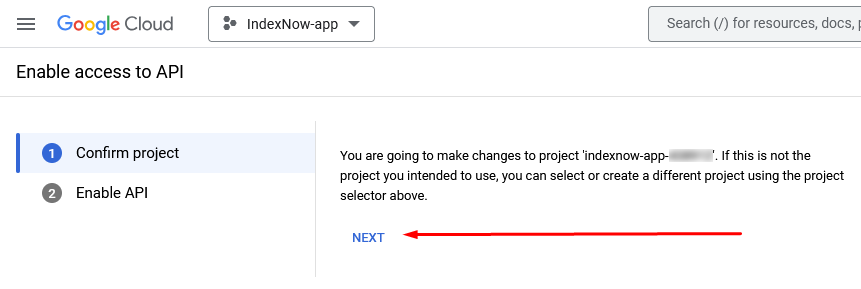
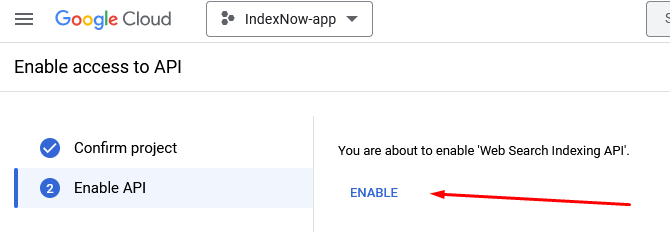
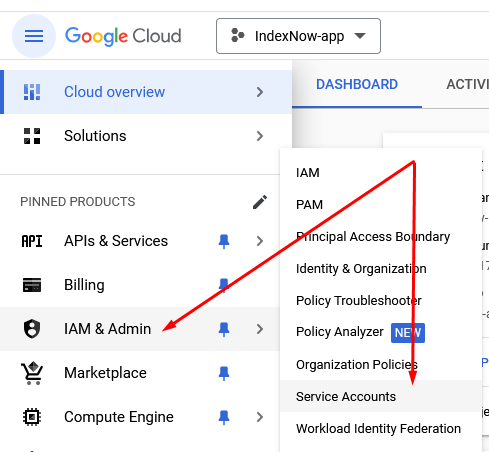
Once the API is enabled, select “Service Accounts” from the “IAM & Admin” menu and click “Create Service Account.”
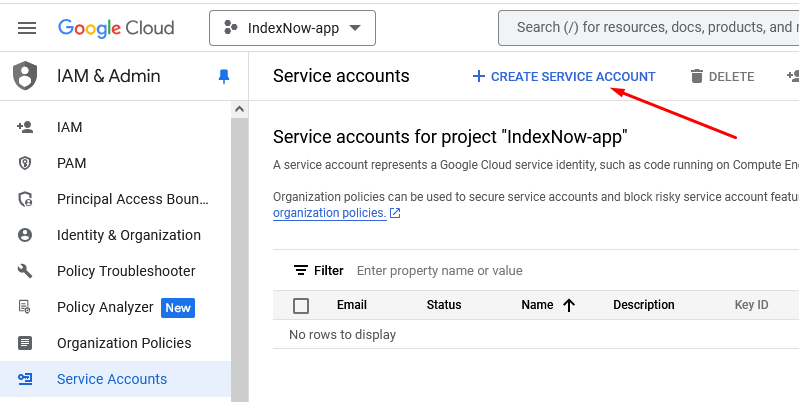
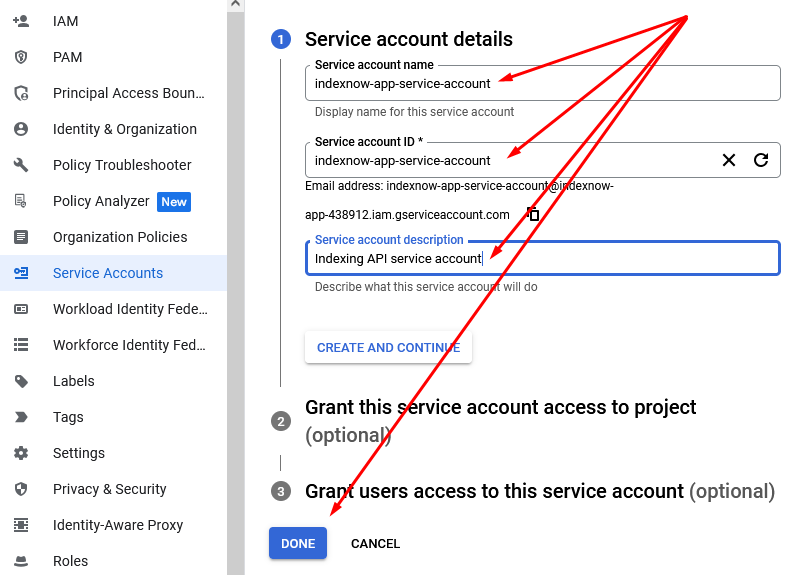
Fill out the form; you can use the same data as mine. Then click the “Done” button.
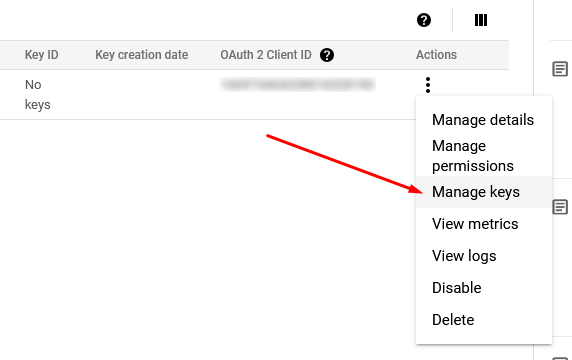
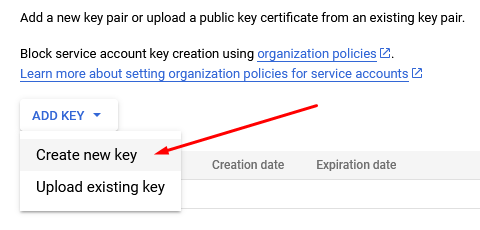
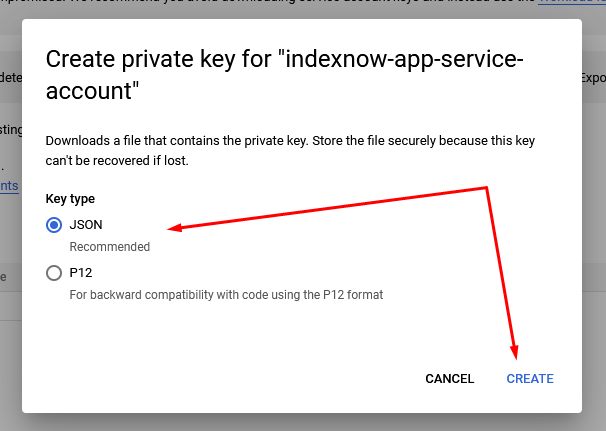
Now, you need to generate an access key. To do this, select “Manage keys” in the “Actions” column. In the new window, choose “Create New Key.” Then select the JSON format and click “Create.”
The key will automatically be downloaded to your computer. Return to the editing screen of your service account and copy the email address.
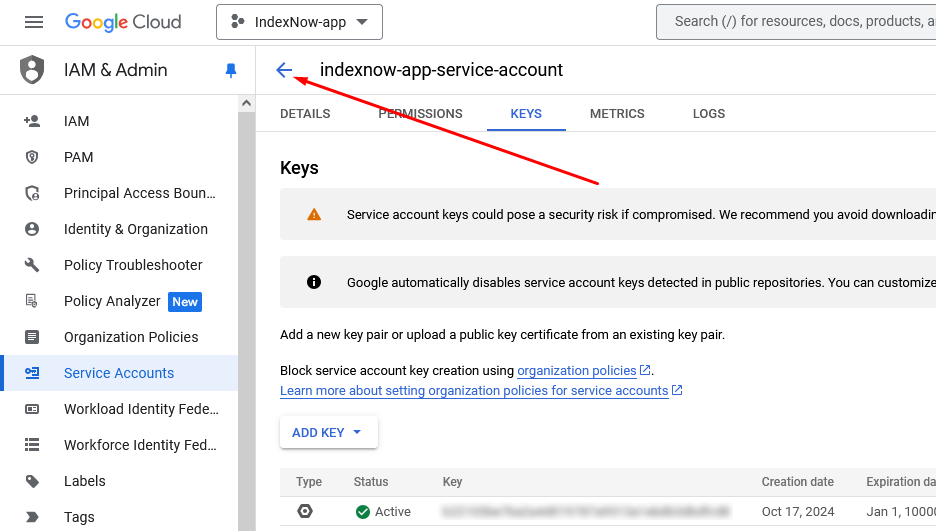
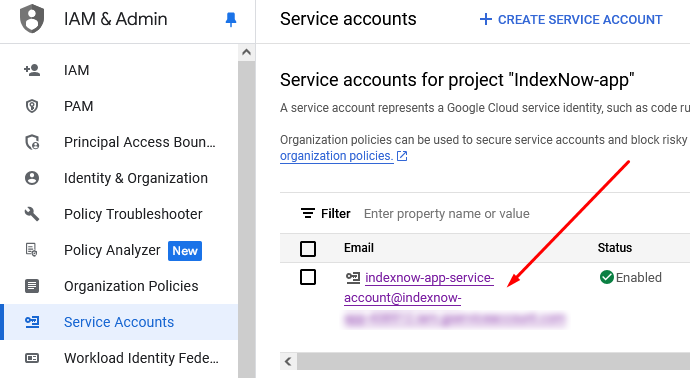
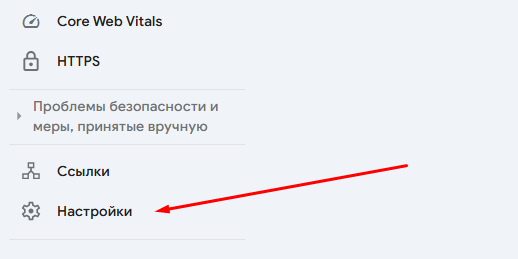
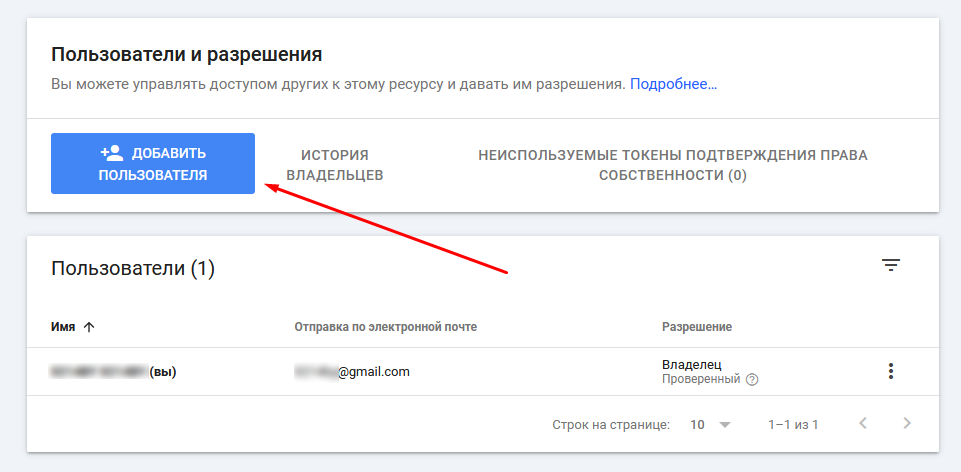
With this email address, go to Google Search Console, select the site you want to connect to the IndexNow protocol, and go to the settings.
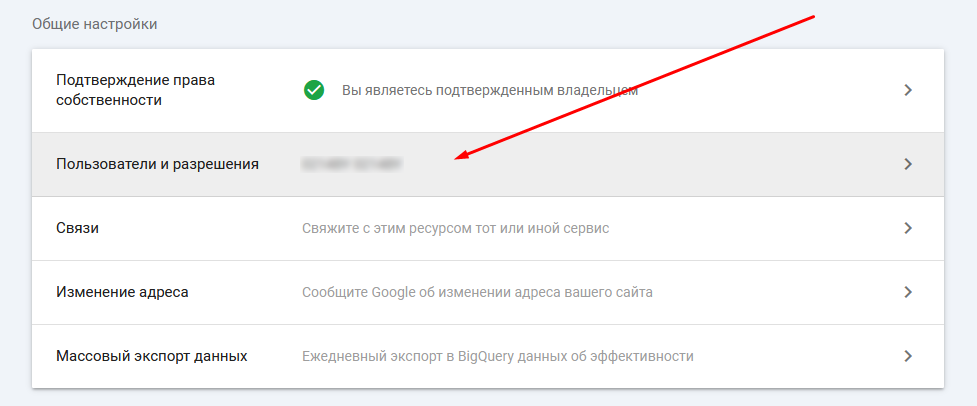
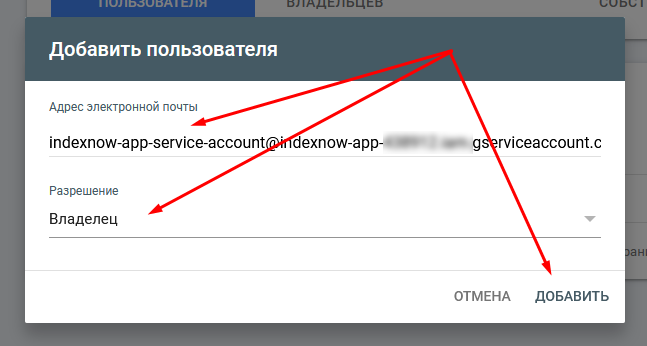
In the settings, select “Users and Permissions” and add a new user. In the “Email address” field, paste the email copied two steps back, and in the “Permission” field, select “Owner” and click the “Add” button.
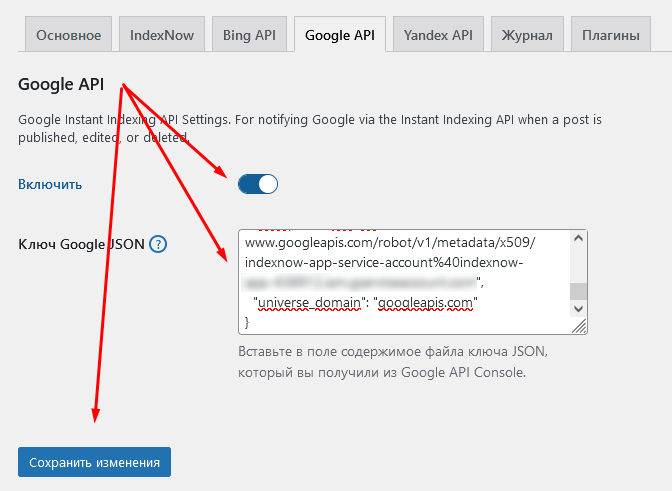
Now, go to the admin panel of your website, where on the settings page of the IndexNow plugin, select the “Google API” tab. In these settings, toggle the “Enable” switch and paste the entire contents of the file that was automatically downloaded to your computer when you created the key in the Google API Console. Finally, make sure to click the “Save Changes” button.
Congratulations! You have successfully connected your website to Google’s search engine using the IndexNow protocol.
Connecting to Yandex
To connect the IndexNow protocol to Yandex’s search engine, you also need to create a special application. To do this, go to Yandex’s application creation page.
On this page, fill out a small form.
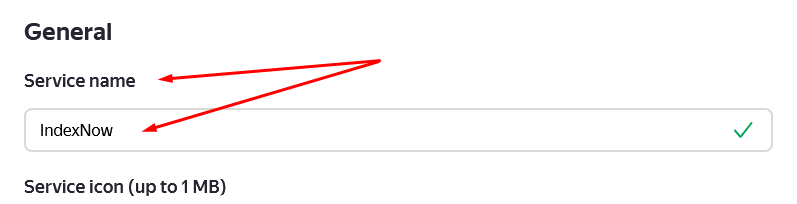
In the “Service name” field, enter IndexNow.
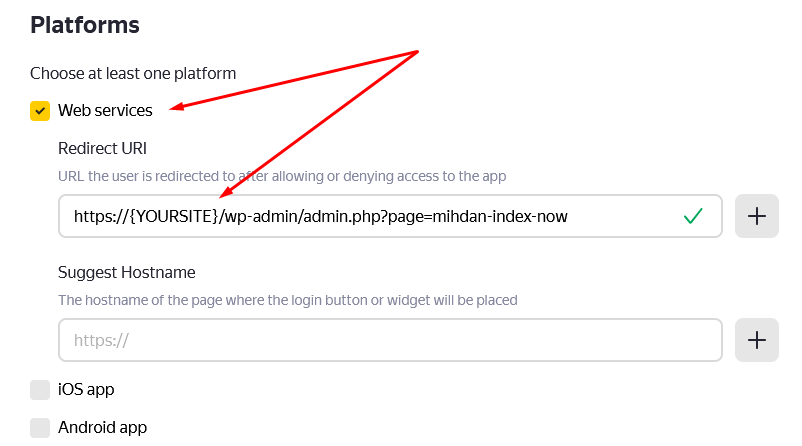
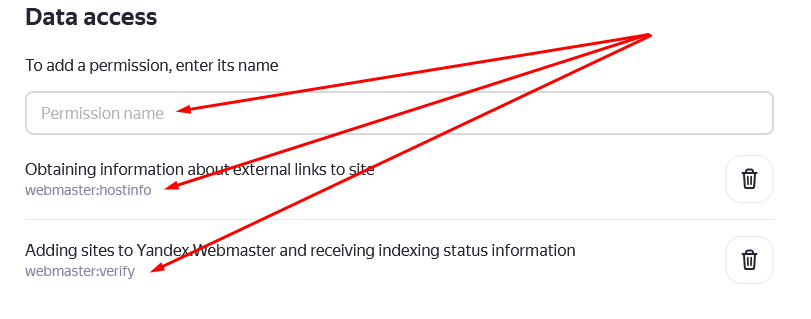
From the platform list, select “Web services,” and in the “Redirect URI” field, enter the full path to the plugin on your site, for example, https://lobyr.eu/wp-admin/admin.php?page=mihdan-index-now. Be sure to specify your own domain. In the “Permissions name” field, select the two parameters: webmaster:hostinfo and webmaster:verify.
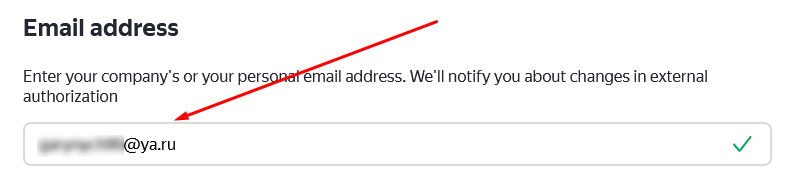
In the “Email address” field, enter your email address to receive notifications in case of issues.
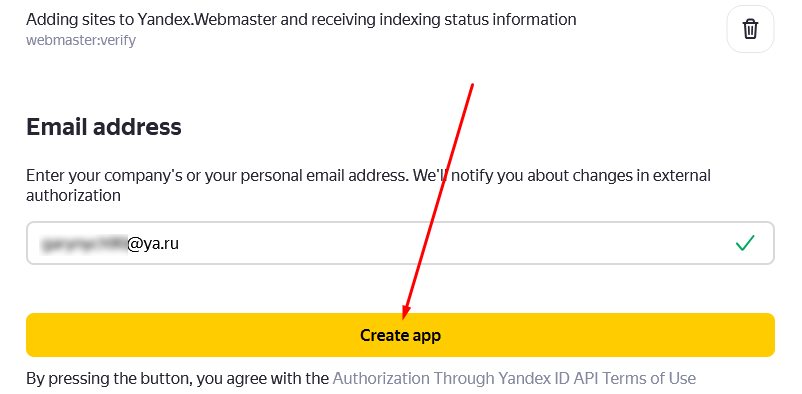
After filling out the form, click the “Create app” button.
In the new window, copy the “Client ID” and “Client Secret” values.
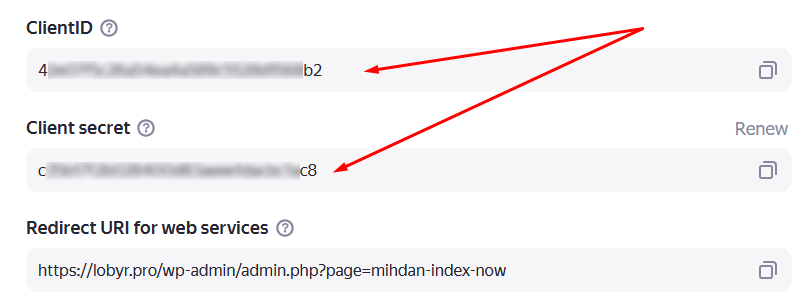
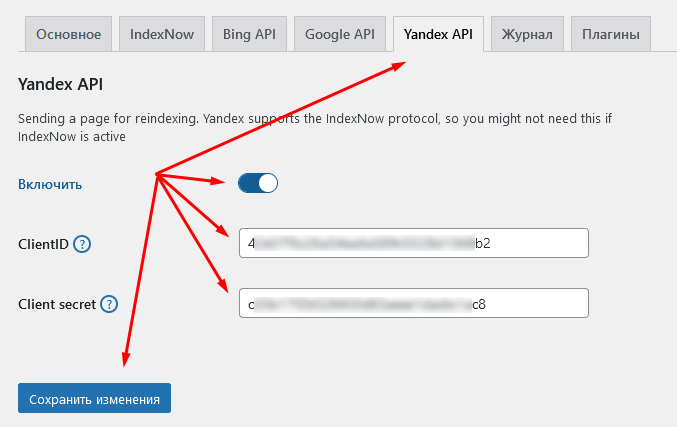
Now, return to the plugin settings panel on your site, open the “Yandex API” tab, select “Enable,” and enter the newly obtained data. Finally, click the “Save Changes” button.
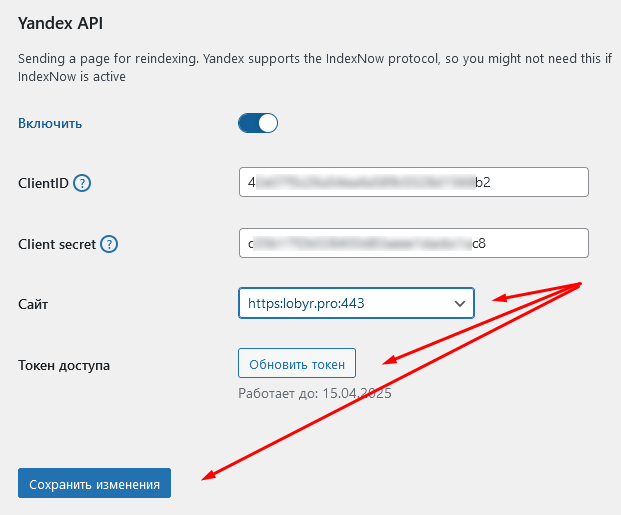
But that’s not all. After saving the application access keys, a “Get Token” button will appear below. Click it to connect the plugin with Yandex Webmaster. A list of all sites added to Yandex Webmaster will appear. You just need to select yours.
As always, save all settings by clicking the “Save Changes” button.
That’s it! Your site is now connected to Yandex’s search engine through the IndexNow protocol.